Now on iPhone, iPad & the web
Every project’s expenses, sorted and stress-free
Redoing the kitchen, running a job site, or keeping the family on budget? TaskSpend is the project expense tracker that keeps every receipt, budget, and approval in one place, so spending never sneaks up on you.
5.0on the App StoreFree to start · Android coming soon


What TaskSpend does

Receipts Log
Snap a receipt and TaskSpend fills in the details. Find any receipt in seconds.

Approvals
Submit, review, and approve purchases before money moves.

Team
Invite people, set roles, and control who can spend and who approves.
See TaskSpend in action
Eight short films, straight from the app. Pick the one that looks like your week.
The 20-second tour. Snap a receipt, swipe to approve, and watch the budget move.
 Meet Taskie
From a little mess to everything in place
Taskie is the zebra who keeps you company inside TaskSpend. Whenever the app is sorting your receipts, this is the job it is doing.
Pick a step to jump to it, or tap Taskie to watch it again.
Popular with households and small teams tracking daily expenses
Every project has expenses, and every one deserves its own budget. TaskSpend keeps the receipts, the running total, and the approvals together, so you always know where you stand.

Household projects
The kitchen remodel, the new deck, the garage you keep meaning to clear out. Set a budget once, snap receipts as you go, and know what’s left before the next hardware-store run.
Renovations · Repairs · Furnishing
Construction & job sites
Materials, subs, permits, and fuel, job by job. Your crew snaps receipts from the field, you approve from the office, and your accountant gets clean reports.
Builders · Contractors · TradesFamily expenses
Groceries, school, the kids’ activities, the monthly bills. Everyone at home logs what they spend, and the whole family sees one honest number.
Monthly budget · Kids · Shared costs
Vacation & travel
Flights, hotels, dinners out, and the souvenirs nobody planned for. Receipts in any currency convert to yours, so you know the real trip total before you’re even home.
Trips · Weddings · Getaways One tap, start to finish
From Lock Screen to filed expense, in one tap
A euro receipt, a dollar budget, and about eight seconds. Tap the phone to step through it.
One place for every project, purchase, and receipt.
Capture the expense, decide on it, and see exactly where every dollar goes. Explore the scenes to watch it happen.


Plan Together
Capture travel receipts, organize shared costs, and keep everyone aligned with the budget.
How a small renovation company tracks project expenses
Marco runs a 6-person team. Expenses used to be texted photos and a spreadsheet nobody updated.

In the app
Tap + New Project, name it, set the budget, invite the team.
In the app
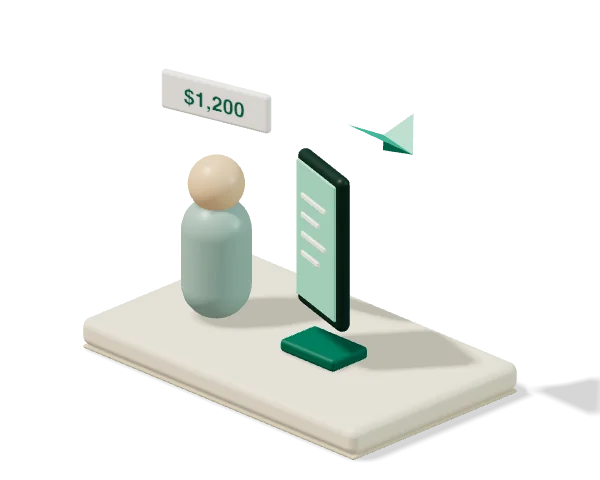
Carlos taps Approvals → New Request, selects "Furniture Deposit," types "Vendor requires 50% deposit before delivery", and attaches the quote photo. The request lands in Marco’s approvals queue right away.

In the app
The dashboard updates with the new spend straight away.

In the app
Point the camera, check what it filled in, pick a category, submit.

In the app
Reports → Export PDF for the accountant, or CSV for a spreadsheet.
 Every seat at the table
One app, three points of view
Spending, approving and paying need different things.
Snap it, don’t type it
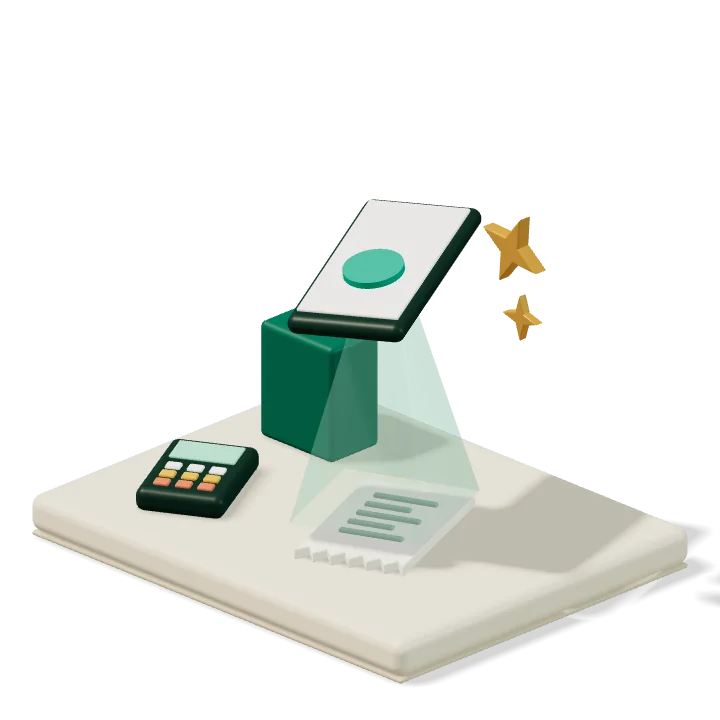
Point the camera at a receipt. The details fill in and it files against the right project.

Ask before you spend
Submit purchase, travel, mileage, and per-diem requests up front.

See your own work
Your expenses and your requests, without the whole company’s budget on your screen.

One queue, no chasing
Everything waiting on you sits in one list, badged so nothing quietly ages out.

Decide with the facts
Receipt, project and remaining budget are all on the card. Approve or decline in a tap.

Clear a backlog fast
When the queue is long, decide it all at once with one note to the team.


Set budgets that hold
Give each project an overall or monthly budget by category, and set who approves what.
Watch it live
Spent, approved, and remaining, with an alert the moment a category goes over.

Close the books
Export a PDF or CSV with receipts, or push approved expenses to QuickBooks or Xero.
 New · TaskSpend on the web
Approve and report from your desk, too
Owners and Approvers sign in at app.taskspend.com with the same Apple or Google account. Same workspaces, same queue, same subscription. The crew keeps capturing from the phone.
Every expense type, one queue
Expenses, purchase orders, travel, per-diem and mileage, time off, and statement imports, reviewed on a big screen with the receipt beside the numbers. Approve one, or clear the lot.
Reports built for the accountant
Project summary, category spend, budget variance, team spend, approval history, receipts, and an audit trail, for any date range. Download as CSV or PDF.

One subscription, every screen
Premium is bought once, in the app, and covers the iPhone app and the web for every workspace you own. Nothing extra to buy, nothing to set up.

 Features
Built for households and teams that can’t afford surprises
Easy enough for the kitchen table or a job site, thorough enough for your accountant.
Live Budget Dashboard
Spent, approved, and remaining, by category, live.
AI Receipt Capture
Scan a receipt to extract the merchant, amount, date, and category. Receipt reading happens on your device; Premium adds optional cloud AI analysis.
Approve Before Spending
Requests arrive before the purchase, so the answer comes first and the receipt second.
Reports & Exports
Seven report types for any project or date range, receipts included, from the app or the web. Premium adds a full audit trail.
Team Roles & Access
Owner, Approver, Member, Viewer. Members see only what they need, while project owners keep control of their budgets.

iPhone, iPad & the Web
Native SwiftUI on iPhone and iPad in 10 languages, a browser workspace where owners and approvers review and report, and Android on the way.

Bulk Statement Import
A PDF or CSV statement becomes expenses, categorised, refunds included. Free for everyone.

Travel, Per-Diem & Mileage
Travel requests carry their own per-diem and mileage totals, calculated before the trip.

Any Currency, Daily Rates
Scan a euro receipt into a dollar budget. Converted at the day’s European Central Bank reference rate, with the original amount kept on the expense.

Recurring Expenses
Rent, insurance, a monthly rental. Set the rule once and each occurrence is created for you, ready to review.

Talk It Through
Every request carries its own thread. Ask for the quote, attach the receipt, and the decision keeps its reasons.
Templates & Join Codes
Start a project from a construction, film, events or consulting template, then add the crew with a shareable join code.
 Integrations
Sync with QuickBooks, Xero & your bank
Approved expenses land in QuickBooks Online or Xero in a tap, and soon, transactions arrive straight from your bank.


Nothing syncs on its own. You approve it first.
Connect your bank
Track personal, business, and household transactions straight from your bank accounts. New purchases land in TaskSpend on their own, sorted by category and ready to review.
Secure connection powered by Plaid
How bank sync will work → Online banks
Works with major US banks, online banks, and neobanks, plus thousands of credit unions across the US and Canada, through Plaid. Coverage comes from Plaid and can vary by institution.
Works with what you already use
No new logins, no new file formats.


QuickBooks and Xero sync are included with Premium.
 Privacy & security
Your receipts are nobody else’s business
What we do about your money data, in plain English.
No passwords
Sign in with Apple or Google. Lock the app with Face ID.

Scanned on your device
Receipt reading runs on your iPhone. Cloud AI is opt-in, and you can turn it off.

Encrypted & private
Receipts live in private storage, and every request is permission-checked.

No ads, ever
We don’t sell your data or track you around the web.
New in TaskSpend, September 2026
TaskSpend 1.2 for iPhone and iPad, plus a web app for the people who approve and report. Android is next.
Now on the webOwners and Approvers decide and report from any browser, on the same subscription.Read more → Business, Personal & Family workspacesPick the workspace that fits, each with its own projects and budgets. Three on Free, as many as you need on Premium.Read more →
 Meet TaskieOur illustrated mascot greets you at sign-in, on the lock screen, and while things load.Read more →
 Invoices with line itemsQuantity × unit price, tax as a percentage or amount, shared as a clean PDF.Read more →
 Approve with a swipeRight to approve, left to reject, with a moment to undo. Owners’ own expenses approve on arrival.Read more →
 One form, every expense typeExpense, payment, purchase order, travel, time off, per-diem and mileage, from one sheet.Read more →
 FAQ
FAQQuestions people actually ask
Is TaskSpend really free to start?

Yes. Free covers three workspaces, with 10 projects and 10 teammates shared across them, and 100 expenses and 50 requests a month in each workspace, including budgets, receipts, approvals, statement import, five invoices a month, and Spending Review. Premium makes workspaces, projects, expenses, requests, and invoices unlimited, grows the team to 100, and adds accounting sync, receipt autofill, duplicate detection, and cloud AI.
Do I need to create a password?
No. Sign in with Apple or Google only, so there is no password to leak, and Hide My Email works. You can also lock the app behind Face ID.
How does receipt scanning work, and where do my receipts go?
Scanning is automatic. On-device OCR reads the receipt on your iPhone, then AI analyses that text to fill the fields, and on the free plan none of it leaves your device. Premium can send the receipt text to our cloud AI for sharper results: opt-in, agreed in the app, and you can withdraw it. Receipt images always live in private storage.
Can I record an expense in another currency?
Yes. Scan or enter a receipt in euros, pounds, yen or another supported currency and TaskSpend converts it into your project’s currency using that day’s European Central Bank reference rate. The expense shows the rate and the date it came from, and the original amount and currency stay attached, so any report can be traced back to what the supplier actually charged. Travel requests work the same way, with per-diem and mileage converted line by line. Rates refresh once per business day, and converted figures are planning estimates: if your card was billed differently, edit the total and the original stays on the record.
Does it work with QuickBooks or Xero?

Yes. On Premium, connect QuickBooks Online or Xero to a project and push approved expenses across in a tap, from the app or the web. Everything else exports as PDF or CSV.
Can I import a bank or card statement?
Yes, on every plan. Drop in a PDF or CSV statement and each line becomes an expense, categorised, with payments and refunds handled.
Can I connect my bank account?

Soon. Bank sync, powered by Plaid, is coming to Premium. Connect a checking, savings, or credit card account and new transactions arrive in TaskSpend on their own, categorised and ready to review, whether it’s personal, household, or business spending. You sign in on your bank’s own screens, TaskSpend never sees your bank login, and you can disconnect any time. Read how it will work.
Who on my team can see what?
Four roles. Members and Viewers see their own rows, never the workspace budget. Approvers get the queue. Owners control budgets, roles, and billing.
Can I use TaskSpend in a browser?
Yes. Owners and Approvers sign in at app.taskspend.com with the same Apple or Google account to review the approvals queue across every expense type, watch budgets, manage the team, and build reports. Members and Viewers capture receipts and send requests from the iPhone app. One subscription covers both.
Is there an Android app?
Not yet. The app is built for iPhone and iPad today, in English, Spanish, French, German, Italian, Japanese, Korean, Brazilian Portuguese, Russian, and Simplified Chinese, and the web workspace works in any browser. Android is in the works.
How do I cancel or delete my account?

Subscriptions bill through your Apple ID and cancel any time in App Store settings. To remove your data, use the account deletion page or the in-app option; deletion is confirmed with an emailed code.
Ready to get your project spending under control?
Join the households and small teams keeping every project expense in one place with TaskSpend, rated 5.0 on the App Store. Free to download, the web workspace included, or leave your email and we’ll send you the links.


Get TaskSpend for iPhone, iPad & the web
TaskSpend is live on the App Store and at app.taskspend.com, with Android on the way. Leave your details and we’ll email you the links.
You're all set! 🎉
Thanks! We just emailed the links for iPhone & iPad to .